Set it down.
It's a dashcam.
Kururec turns an iPhone into a temporary dashcam.
Loop recording deletes the oldest footage for you, so storage never fills up.
For rentals, car shares, any car without one.
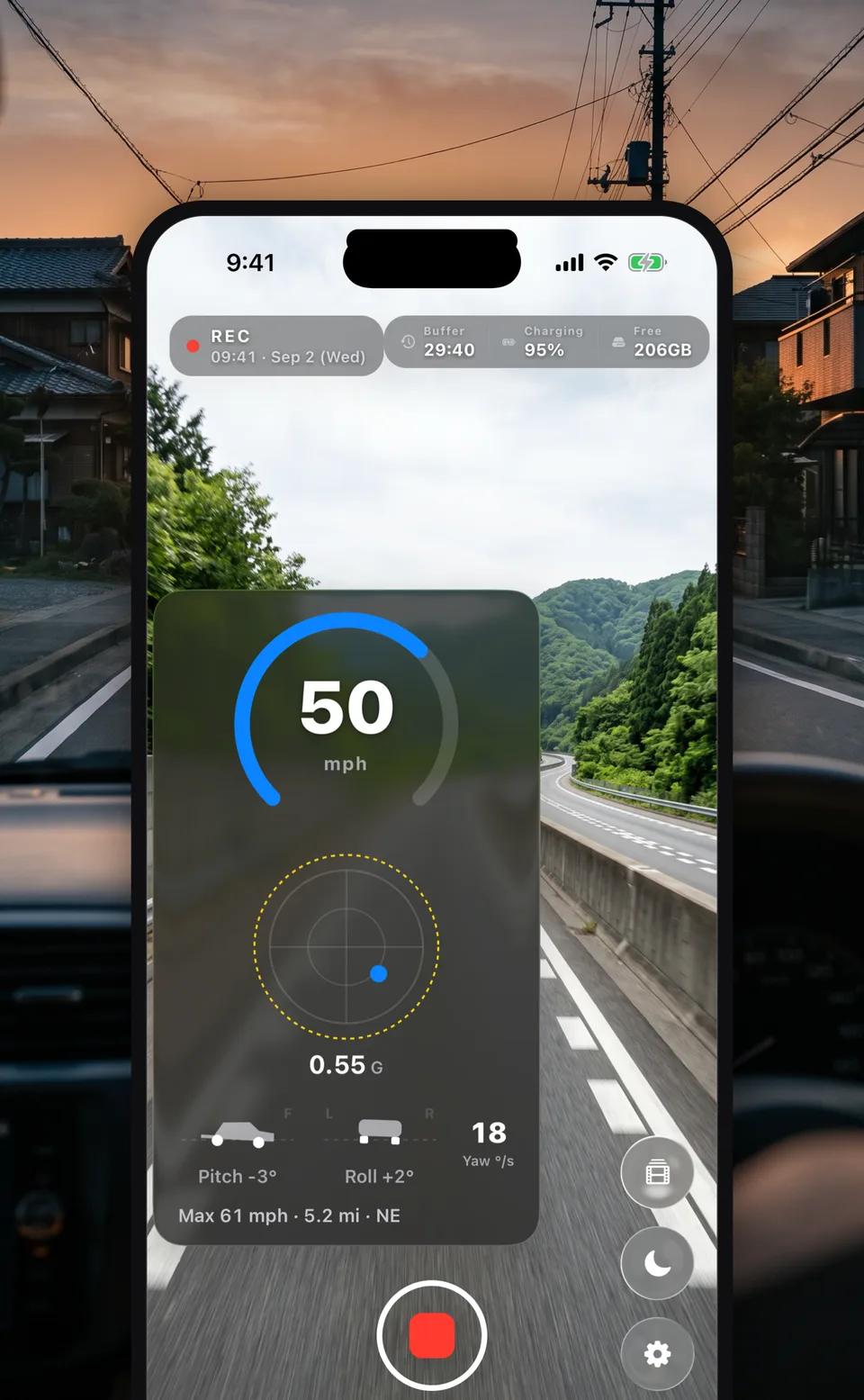
Kururec turns an iPhone into a temporary dashcam.
Loop recording deletes the oldest footage for you, so storage never fills up.
For rentals, car shares, any car without one.
Plain video recording consumes storage without limit, and on a long drive it always runs out. Kururec records in short segments and deletes the oldest ones automatically once the total passes the cap you set. Storage use stays flat no matter how long you drive.
Storage use grows with recording time
✕ Storage runs out and recording stops
Oldest footage deleted automatically, usage always bounded
○ Flat however long you drive. Leave it running.
Free — and it stays free
US$0.99 / month or US$6.99 / year — auto-renewing subscription, cancel any time. Prices vary by region.
Nothing leaves your phone.
Zero data collection. Zero ads.
Billing (Apple / RevenueCat) is the one exception. See the privacy policy for details.
Kururec is available on the App Store. The standard features are free. Set the phone in a holder and press one button.
No. iOS only allows camera recording while the app is open and in front. Kururec states that limit plainly rather than working around it, and recommends mounting the phone in a holder with power connected. Stealth mode (a dimmed screen) cuts both glare and battery drain.
A phone holder on the dashboard works best. Suction mounts on the windshield are restricted in some countries and in some U.S. states, so check your local rules. Mount it where it does not obstruct your view of the road, and always keep it connected to power (a car charger).
iPhone only. It needs the camera, so it runs on a physical device only. Recorded footage is saved to an album the app creates in the Photos app, named after the app in the language you are using it in (“Kururec” in English).
Yes. Saved clips are listed on the app's Library screen and play there (they are also in the Kururec album in Photos). Where Pro has written a trip log, the speed, G-force, attitude and elevation for that moment appear under the video as it plays.
Manage or cancel your subscription on your iPhone under Settings → your name → Subscriptions. Refunds are requested through Apple (the App Store). See the support page for details.
No. Never operate the app while driving. Start recording and change your settings before you set off, and do not touch the screen on the road.
On a dashboard in direct sun, the iPhone's overheat protection can stop recording. In hot weather, mount it near an air vent or out of direct sun. If recording stops, the app tells you on screen and a tap resumes it.
Recording continues through a notification banner, or pulling down Notification Center. But if Kururec goes to the background — because you answer a call, for example — iOS stops the recording. When you return to the app, an on-screen notice appears and a single tap resumes it.
It means footage older than the most recent 30 minutes is deleted automatically, oldest first. On a three-hour drive, for example, what remains at the end is the last 30 minutes (clips you saved with a double-tap are not deleted — they stay in Photos). With Pro, it keeps as much as storage allows.